
Why we built this
Manual time tracking is broken in a specific and consistent way. Nobody does it accurately, including the people who try hardest. You estimate time at the end of the day, or the end of the week, and you are working from memory, which is unreliable, recency-biased, and inflated toward the things you feel good about having worked on. The meeting that ran over and the two hours you spent in Slack do not make it onto the timesheet.
The consequence is not just imprecise records. It is that you cannot actually see your own patterns. You believe you are spending most of your time on the authentication refactor, but you do not have evidence. Your AI agent completed tasks X, Y, and Z today, but you are not sure which three hours of the workday those came from, or what you were doing during the other five.
The more proximate problem is context for AI coding assistants. Claude Code and Cursor can tell you what they did, but they cannot tell you what you were actually doing before you asked them to do something: what was on screen, what app you had been in for the last 45 minutes, what came before the question. That ambient workday context is lost.
Focusd addresses both of these. It records your screen continuously, indexes what you are doing every few seconds, builds a hierarchical summary at multiple time scales, and gives you an honest picture of where your time actually went, as a coach would explain it, not as a report card would accuse you.
What this tool actually does
Focusd is a local-first, open-source Electron desktop app that uses VideoDB's capture SDK to record your screen and system audio in the background, processes frames through a five-layer summarization pipeline, and stores the resulting session summaries locally in SQLite. No screen data is persisted in the cloud. The captures are processed and discarded; what remains is structured, readable insight.
The audience is engineering managers who want to understand their own time investment, product owners doing sprint retrospectives, privacy-focused builders who want productivity clarity without surveillance tools, and anyone who has ever wondered at 5pm what they actually did all day.
The result is not a screenshot gallery or a time log. It is a session narrative with app statistics, project breakdowns, and actionable suggestions. Something like: "You spent 2.3 hours on the authentication refactor, switching between VS Code (67%) and documentation (33%). You were blocked for 23 minutes waiting for builds. Consider optimizing your build pipeline."
What it looks like in practice
On first launch, Focusd asks for screen recording permissions and a VideoDB API key. After that, you hit record.
Every few seconds, the app captures a frame from your screen and passes it through the visual indexing pipeline. The pipeline runs in the background and does not interrupt your work. A small tray icon shows recording status.
At configurable intervals, the accumulated events roll up into summaries. After a session, a timeline and dashboard are available in the app: what you worked on, which apps you were in, how much time was genuinely focused, and where the interruptions came from.
# config.yaml - key pipeline settings
pipeline:
  segment_flush_mins: 5      # how often raw events group into segments
  micro_summary_mins: 15     # how often segments get micro-summarized
  session_summary_mins: 60   # session-level rollup interval
  idle_threshold_mins: 3     # inactivity threshold before pausing tracking
All of this is tunable. A developer working on a long compile cycle might want a longer idle threshold. Someone in back-to-back meetings might want more frequent segment flushing.
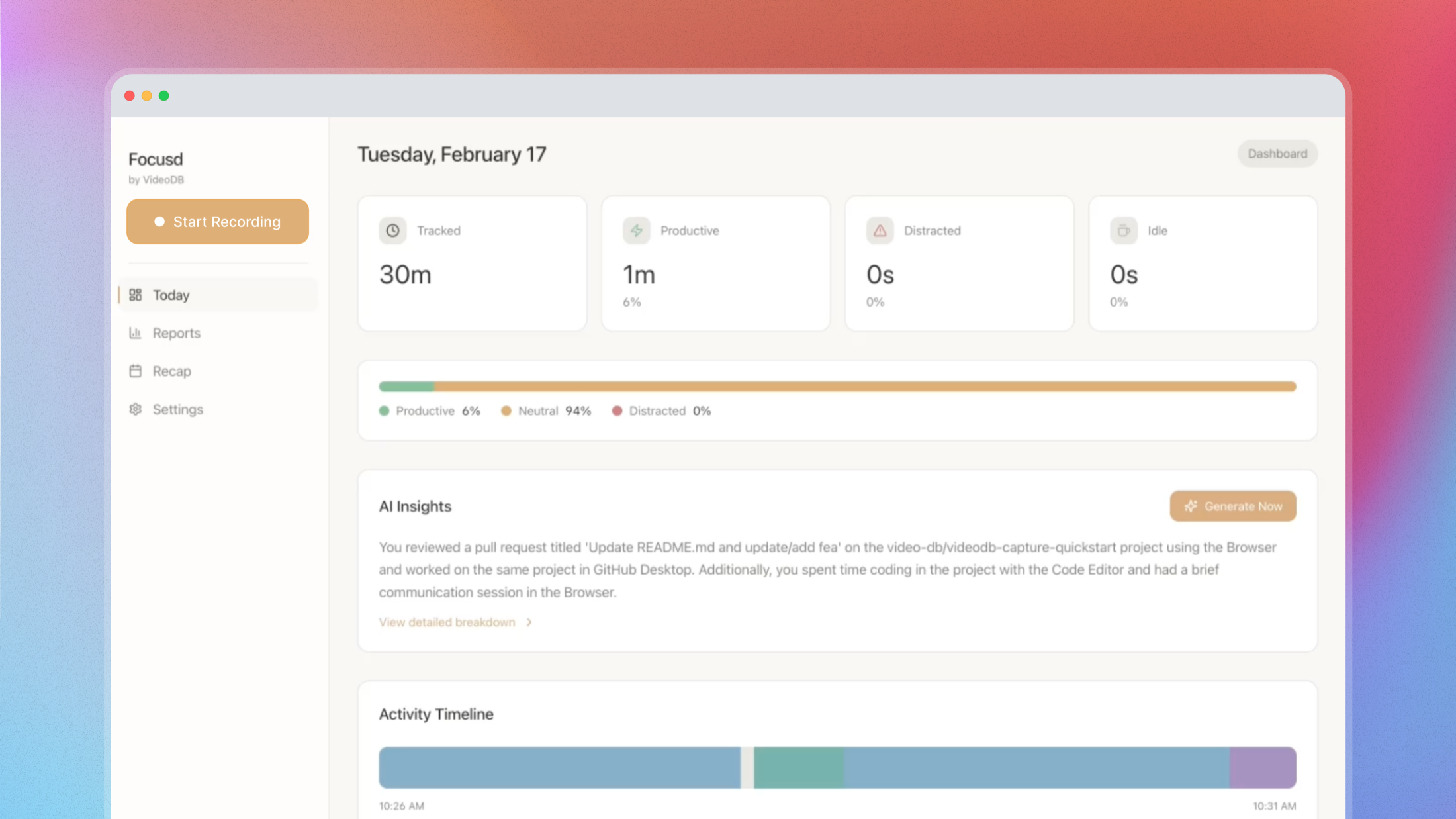
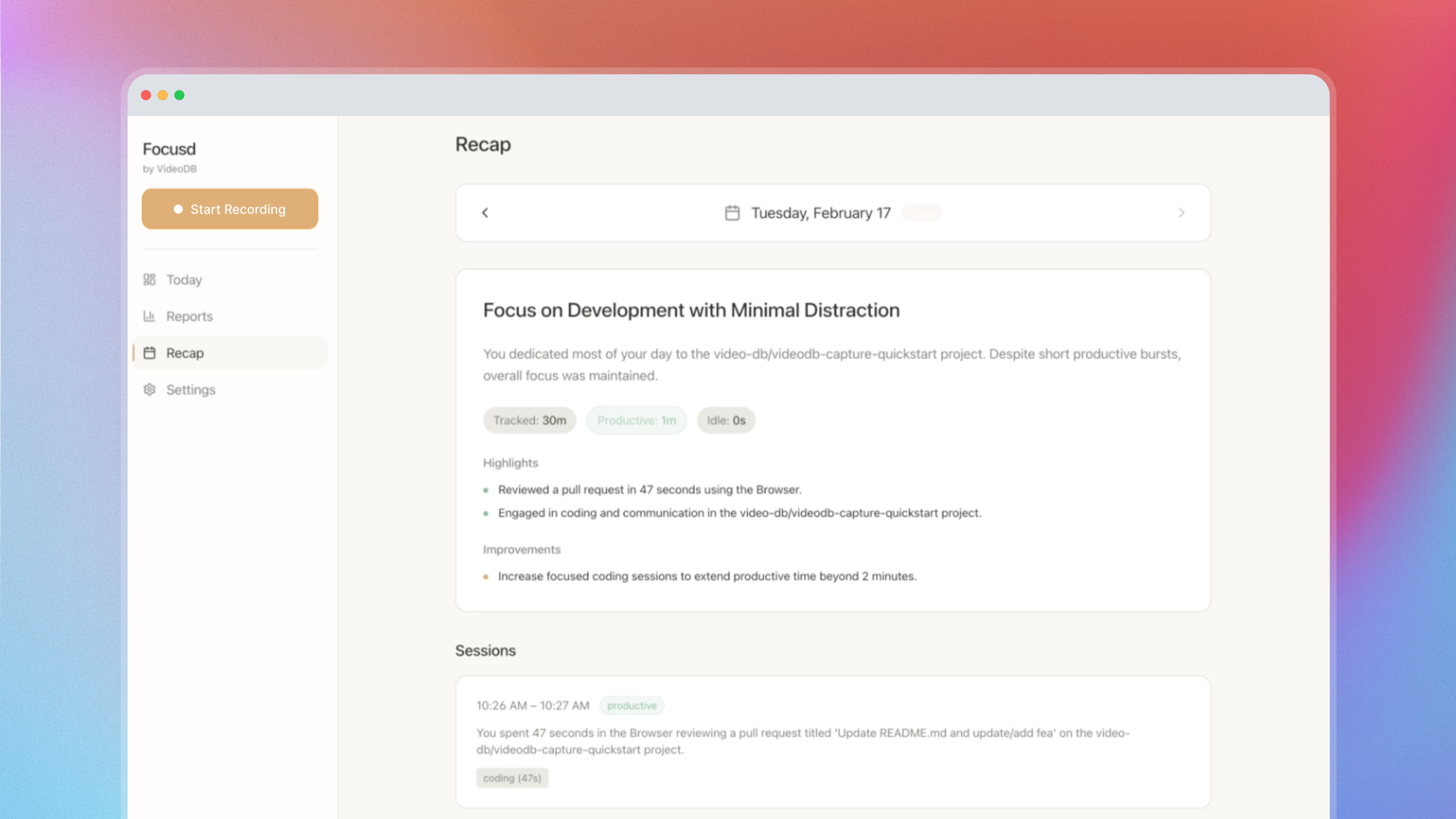
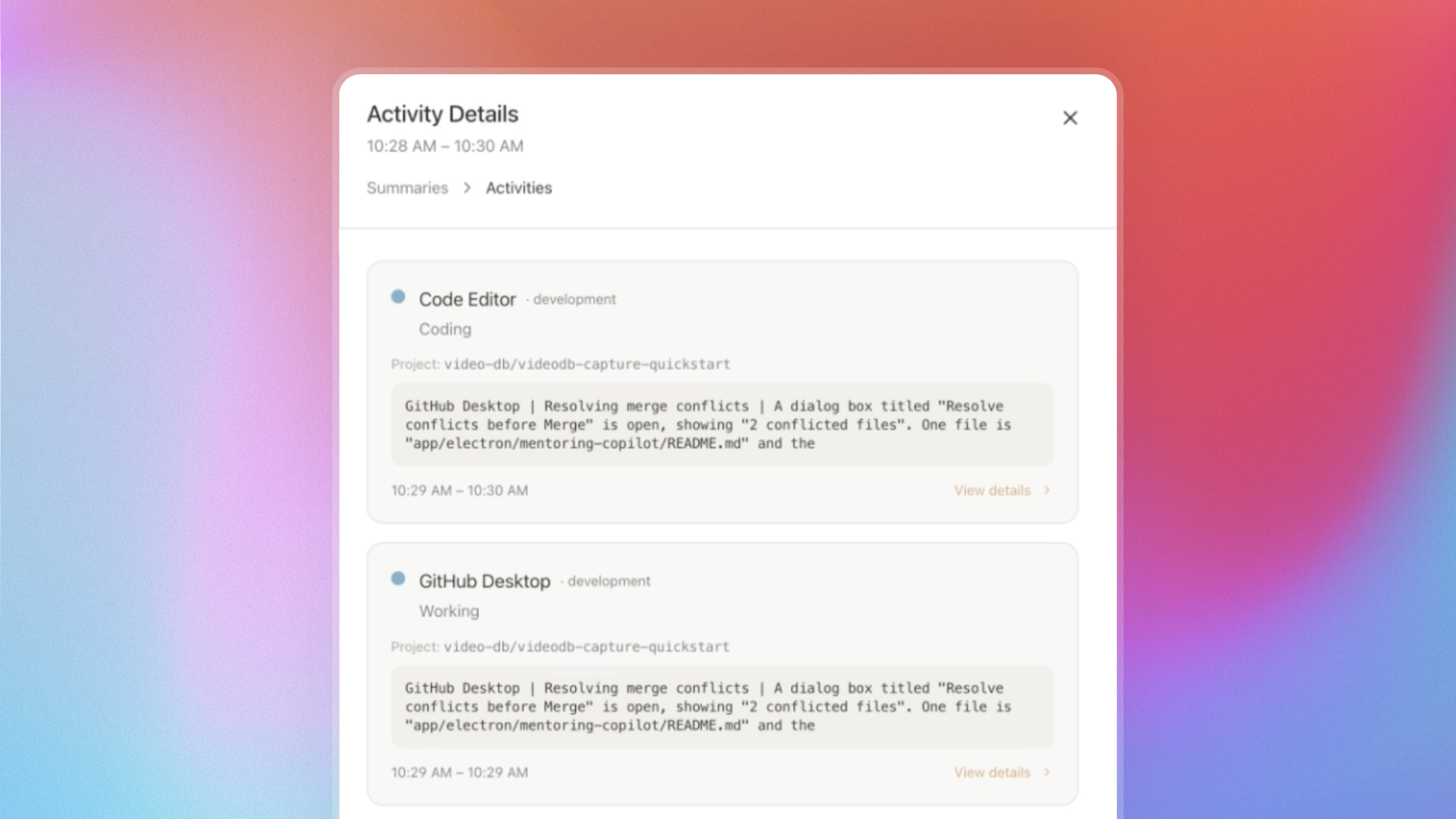
All data lives locally. The summaries are in SQLite at ~/Library/Application Support/VideoDB Focusd/. The API key is encrypted via macOS Keychain. Screen captures are processed and discarded. Only the text summaries remain.
The core idea
The shift from time tracking to perception-based insight is the same shift we see everywhere else in the agent stack: instead of asking you to label your own behavior, the system observes it and labels it for you.
But the goal is not surveillance and it is not granular tracking. The goal is the kind of observation a thoughtful colleague would give you if they could see your screen: "you have been in Slack for the last 40 minutes" or "you completed three PRs between 9 and 11am, which is your most productive window." Useful signal delivered as coaching, not accountability.
The five-layer pipeline exists because pure event capture is too noisy and pure summarization is too lossy. The hierarchy lets the system be accurate at the raw level, such as what app, what page, and what was visible at 10:34am, and useful at the human level, such as what did I accomplish today and where did the time go. Each layer serves a different temporal granularity and a different kind of question.
How the system is wired together
Screen frames feed into VideoDB's visual indexing pipeline, which extracts structured events. Events aggregate into segments, segments roll up into micro-summaries, and micro-summaries consolidate into session and daily summaries. Everything writes to local SQLite; nothing is retained remotely.
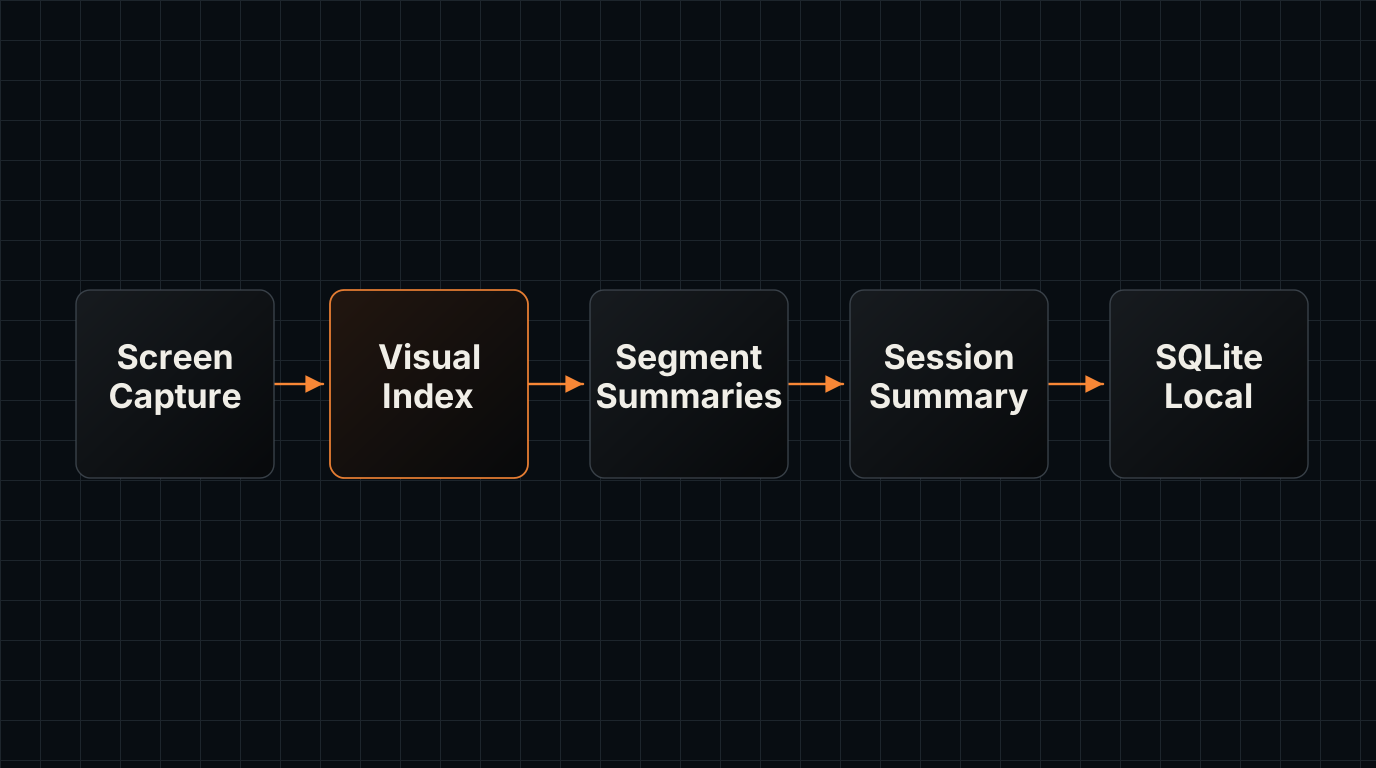
The architecture is a hierarchy of five processing layers:
Layer 0 - Raw events: The VideoDB capture SDK indexes the screen every 3 seconds, extracting the active application name, page or window title, and a brief description of visible content.
Layer 1 - Segments: Every 5 minutes, configurable, raw events are grouped into time windows. Each window becomes a segment record with the set of apps seen, the dominant activity, and a flag for whether the period appeared productive or idle.
Layer 2 - Micro summaries: Every 15 minutes, a batch of segments gets consolidated by an LLM into a micro-summary: a paragraph-length description of what you were working on, which app you were in most, and what kind of work it was: deep focus, communication, context-switching, or blocked.
Layer 3 - Session summary: At the session level, hourly or on stop, micro-summaries roll up into a session overview with app-level statistics, project breakdowns, and productivity classification. This is the level that surfaces the headline insight about what you accomplished.
Layer 4 - Daily recap: Session summaries consolidate into a daily recap with highlights, patterns, and actionable suggestions. This is the level you review at the end of the day.
What is under the hood
- Runtime: Electron with Node.js 18+ and JavaScript
- Capture: VideoDB capture SDK, native binary via
CaptureClient - Processing: Five-layer summarization pipeline, with LLM summaries at Layers 2-4
- Storage: SQLite via Electron's
userDatadirectory, local only - Security: API key encrypted via macOS Keychain and Electron
safeStorage - Platform: macOS primary; Windows support in progress; Linux coming
- Configuration:
config.yamlfor all pipeline timing and prompt parameters
Where this goes next
The five-layer pipeline and local storage model are working. The current version surfaces session summaries and a daily recap.
Integration with agent frameworks is the more interesting next step. If Focusd is running, a Claude Code or Cursor session could pull context from the session summary automatically. "What was I working on before I started this session?" becomes a live query against the local SQLite database rather than a memory task. The infrastructure for this is already there; it needs a thin query interface.
The Windows packaging is in progress. Linux support is planned but does not have a timeline.
How to install and try it
macOS, recommended:
curl -fsSL https://artifacts.videodb.io/focusd/install | bash
This auto-detects your architecture, downloads the right build, and installs to /Applications.
From source, all platforms:
git clone https://github.com/video-db/focusd
cd focusd
npm install
cp .env.sample .env
npm run dev
Wrap-up
Productivity tools usually give you data about where your time went. Focusd gives you a picture you can actually use: what you built, where you got stuck, and what your work patterns actually look like, not what you think they look like.
The local-first design means it works in environments where cloud-synced screen recording would be a non-starter. The hierarchical pipeline means the insights are at the right level of detail for each kind of question. The coaching framing means the output is actionable, not just informative.
Star the repo on GitHub, extend the prompts, contribute the Windows packaging, or build the agent integration layer on top of the local SQLite data.
The perception and capture platform that powers the indexing pipeline is at videodb.io.
Built by the VideoDB team. Get a free API key at console.videodb.io. Community on Discord.